Stable release · v0.1.1 · digicyfr-service-quote-desk-pl
Service Quote Desk PL
Collect service quote requests and manage human follow-up in a private WordPress inbox.
Stable release. The ZIPs passed the checks described on each page. Review the plugin limits and test your own site before using a new plugin in production.
Who it helps and how it works
Best for: Polish service firms that price work individually
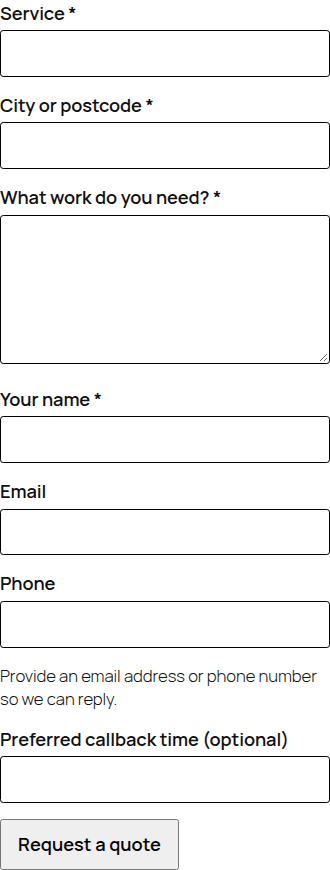
Ask customers for the service, location, job details, name and a way to reply. Keep each request in a private WordPress inbox where administrators can record contact, quote and outcome, assign a colleague and set a follow-up date.
What it does
- Place a mobile-friendly request form with a block or shortcode.
- Track status, assignee and follow-up date; export guarded CSV.
Getting started
Open Quote Desk → Settings, set recipient, services, retention and privacy link; then add the Service Quote Request block or [digicyfr_service_quote] shortcode. Test a real inquiry and mail delivery.
Example shortcode
[digicyfr_service_quote]Scope and limits
No automatic quote, booking, payment or follow-up reminder. A real mail provider and your own privacy notice need site-specific setup.
Stored data and uninstall
A private table stores requests. Default retention is 180 days, including open requests. Uninstall keeps data; administrators can delete individual requests. Email-based core privacy tools do not find phone-only requests.
Common questions
- Does a preferred callback time reserve an appointment?
- No. It is plain text for staff to review; no calendar slot is reserved.
- Will a saved request always send an email?
- The plugin asks WordPress to send an admin notice and records whether WordPress accepted it. Delivery depends on the site mail service; the saved request stays in the inbox.
Download the versioned ZIP and compare its SHA-256 with the value above or the checksum file. In WordPress, open Plugins → Add New → Upload Plugin, choose the ZIP, install and activate it. Back up the site before a later manual ZIP update.
These plugins are distributed through GitHub. They are not listed on WordPress.org and do not have automatic updates.
- ZIP SHA-256
- 831d823368715ebaefb4c043f6ce3aa6629b4b8db8bc09b0f9b8856a01eac5ba