Stable release · v0.1.0 · digicyfr-service-menu
Service Menu
Maintain a reusable list of services and show it with a block or shortcode.
Stable release. The ZIPs passed the checks described on each page. Review the plugin limits and test your own site before using a new plugin in production.
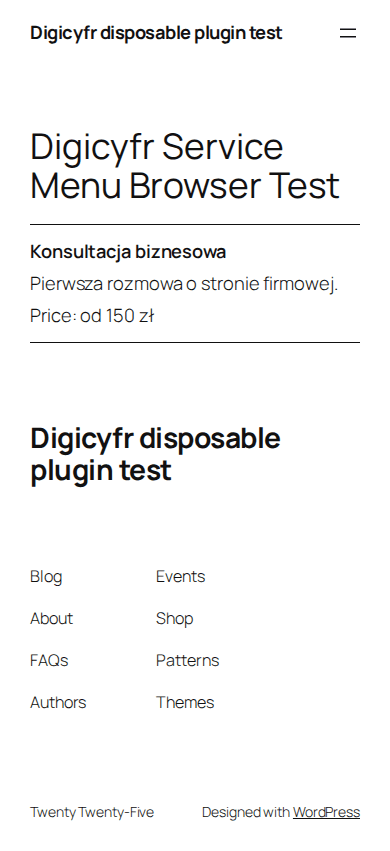
What it does
- Edit service names, descriptions, categories, order and optional duration or price wording.
- Archive a service to Draft and export a guarded review CSV.
Getting started
Create services under Services, then insert the Service Menu block or [digicyfr_service_menu] shortcode.
Scope and limits
An embed shows at most 100 services. There is no booking, payment, tax calculation or legal price check.
Stored data and uninstall
Services are WordPress posts, terms and metadata. Uninstall keeps them to avoid accidental loss.
Verify the ZIP checksum, then upload it in WordPress under Plugins → Add New → Upload Plugin. Back up the site before updating. Updates are manual.
These plugins are distributed through GitHub. They are not listed on WordPress.org and do not have automatic updates.
- ZIP SHA-256
- ff091f45141b650b1cbe6d4d6c9d3bc760d21280c5783fa4f97266560592308d